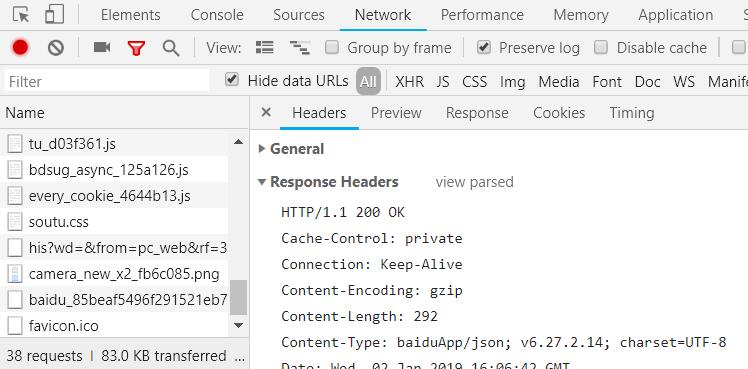
了解HTTP的请求与响应
- HTTP的作用就是指导浏览器和服务器如何进行沟通
- 浏览器负责发起请求
- 服务器在80端口接受请求
- 服务器负责返回内容(响应)
- 浏览器负责下载响应内容
- 如何使用curl命令
- 在命令行中输入curl -s -v -H – “https://www.baidu.com",即可以创造一个请求并得到响应
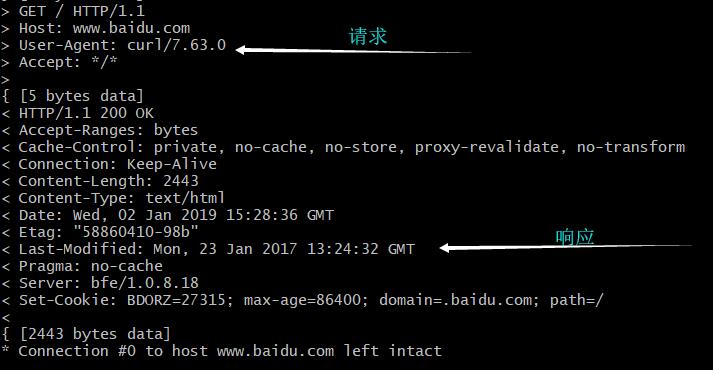 请求的内容为
1
2
3
4
5> GET / HTTP/1.1
> Host: www.baidu.com
> User-Agent: curl/7.63.0
> Accept: */*
>
请求的格式
1 动词 路径 协议/版本
2 Key1: value1
2 Key2: value2
2 Host: www.baidu.com
2 User-Agent: curl/7.63.0
2 Content-Length: 字节
2 Content-Type: application/x-www-form-urlencoded
3
4 要上传的数据
- 请求最多包含四部分,最少包含三部分。(也就是说第四部分可以为空)
- 第三部分永远都是一个回车(\n)
- 动词有 GET POST PUT PATCH DELETE HEAD OPTIONS 等
- 这里的路径包括「查询参数」,但不包括「锚点」
- 如果你没有写路径,那么路径默认为 /
- 第 2 部分中的 Content-Type 标注了第 4 部分的格式
响应的内容1
2
3
4
5
6
7
8
9
10
11
12
13< HTTP/1.1 200 OK
< Accept-Ranges: bytes
< Cache-Control: private, no-cache, no-store, proxy-revalidate, no-transform
< Connection: Keep-Alive
< Content-Length: 2443
< Content-Type: text/html
< Date: Wed, 02 Jan 2019 15:28:36 GMT
< Etag: "58860410-98b"
< Last-Modified: Mon, 23 Jan 2017 13:24:32 GMT
< Pragma: no-cache
< Server: bfe/1.0.8.18
< Set-Cookie: BDORZ=27315; max-age=86400; domain=.baidu.com; path=/
<
1 协议/版本号 状态码 状态解释
2 Key1: value1
2 Key2: value2
2 Content-Length: 17931
2 Content-Type: text/html
3
4 要下载的内容
- 第 2 部分中的 Content-Type 标注了第 4 部分的格式
- 第 2 部分中的 Content-Type 遵循 MIME 规范
用 Chrome 发请求 - 打开 Network
- 地址栏输入网址
- 在 Network 点击,查看 request,点击「view source」
- 点击「view source」 点击「view source」 点击「view source」
- 终于点了?可以看到请求的前三部分了
- 如果有请求的第四部分,那么在 FormData 或 Payload 里面可以看到
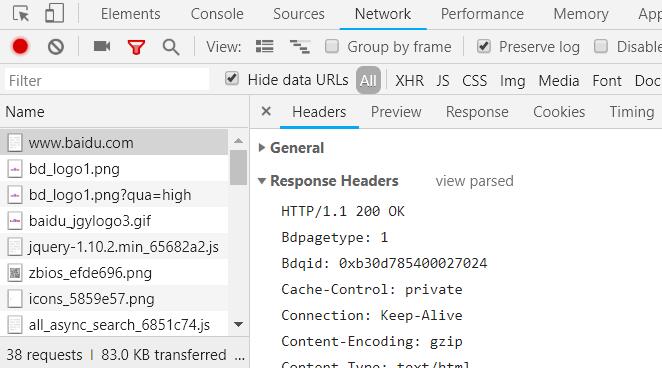 用 Chrome 查看响应
 - 打开 Network
- 输入网址
- 选中第一个响应
- 查看 Response Headers,点击「view source」,点击「view source」,点击「view source」
- 你会看到响应的前两部分
- 查看 Response 或者 Preview,你会看到响应的第 4 部分